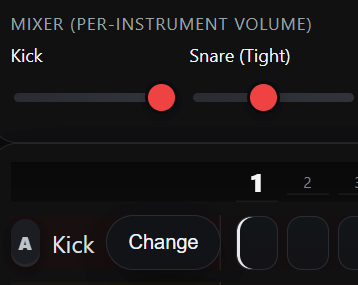
1. Pick a track
Each row in the sequencer grid is an instrument (Kick, Snare, Hat, etc.).
The coloured Pads below the grid can also be clicked or tapped to play sounds live — great for freestyling.
SDM is your in-browser drum machine. Build loops, tweak sounds, and freestyle live — everything saves automatically in your browser.
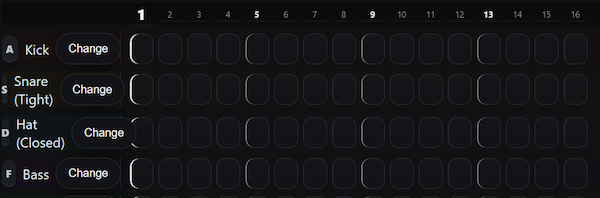
Each row in the sequencer grid is an instrument (Kick, Snare, Hat, etc.).
The coloured Pads below the grid can also be clicked or tapped to play sounds live — great for freestyling.
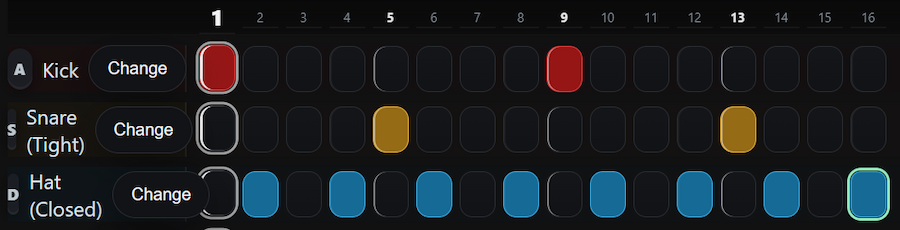
Click cells to light them up. A lit cell will play on each loop.
Try this classic 4/4 beat: Kick on 1 & 9, Snare on 5 & 13, Hats every 2 steps.

Press the green Play button (or hit the Spacebar) to start the loop.
The playhead moves across the grid as your pattern plays.
Hit Stop (or Space again) to pause.
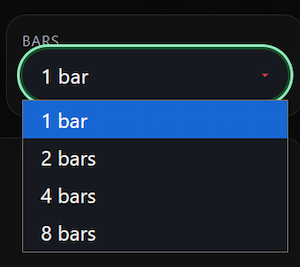
By default, the grid loops 1 bar (16 steps).
Use the Bars dropdown to extend to 2, 4, or 8 bars.
For your first beat, stick with 1 bar.
Use the Mixer sliders to balance volume.
Click Change on a track to open the Instrument Picker: